


Simple three-column statistics
Three evenly spaced columns each with a number and a short label below. Use it for a clean, balanced stats strip on any marketing or about page.
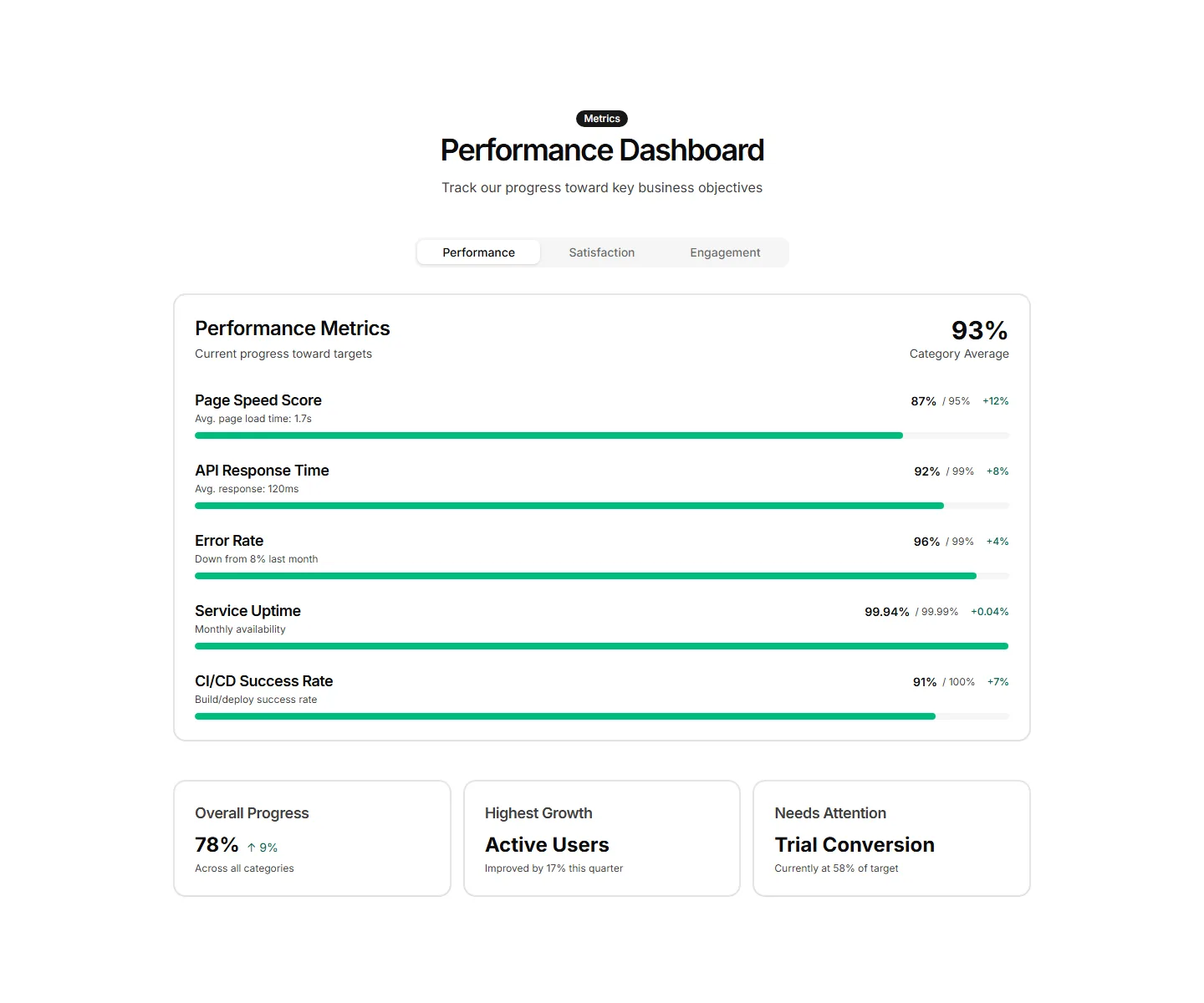
Labeled bars that fill to a percentage to track adoption or completion. Use it on a status page or report to show how far each goal has come.
Three evenly spaced columns each with a number and a short label below. Use it for a clean, balanced stats strip on any marketing or about page.
Stat cards that pair a current value with a tiny inline trend chart. Use it to show a number and its recent direction together on a dashboard view.
Each figure sits beside an icon that signals what the number measures. Use it to make a stats row scannable and add visual cues to every metric.
Key numbers plotted along a horizontal timeline of moments and dates. Use it to tell a growth story across quarters on an about or press page.
A band of proof points like uptime, customers, and ratings in one row. Use it near a signup form to reassure visitors and lift their confidence.
Horizontal bars that fill to show milestones reached against a target. Drop it on a results page to visualize goals hit and progress toward each one.
A cluster of stat cards with a big number, label, and short caption in each. Use it to spotlight key metrics across a landing page in a clean grid.
Ring shaped progress dials that animate to a percentage value. Good for dashboards or landing pages that report completion rates and capacity at a glance.
Two columns of numbers placed side by side to contrast before and after results. Use it to show the lift your app delivers over the old way.
Paired figures with labels that weigh your offering against a baseline. Great for sales pages that need to make the gain feel concrete and credible.
A quote from a customer next to the numbers their team reached with you. Use it to pair social proof with hard results on a case study page.
A stepped funnel showing how many visitors move from view to signup to paid. Use it to explain conversion and where users drop off in your flow.


